Proton, screen by screen
Every screen of the nutrition app our Raincity members use, in the order you meet it — and why it only shows you one number to start with.
Proton is the nutrition app our Raincity members use. It started life as a Softr build, and it now runs on Next.js with a Cloudflare Worker and Airtable behind it. I have never actually shown the thing, so here it is: all twenty-eight screens, in the order you meet them.
Everything in these screenshots is made-up data for an athlete who does not exist. Nobody's real food logs, weights or names appear anywhere below.
It starts with two numbers
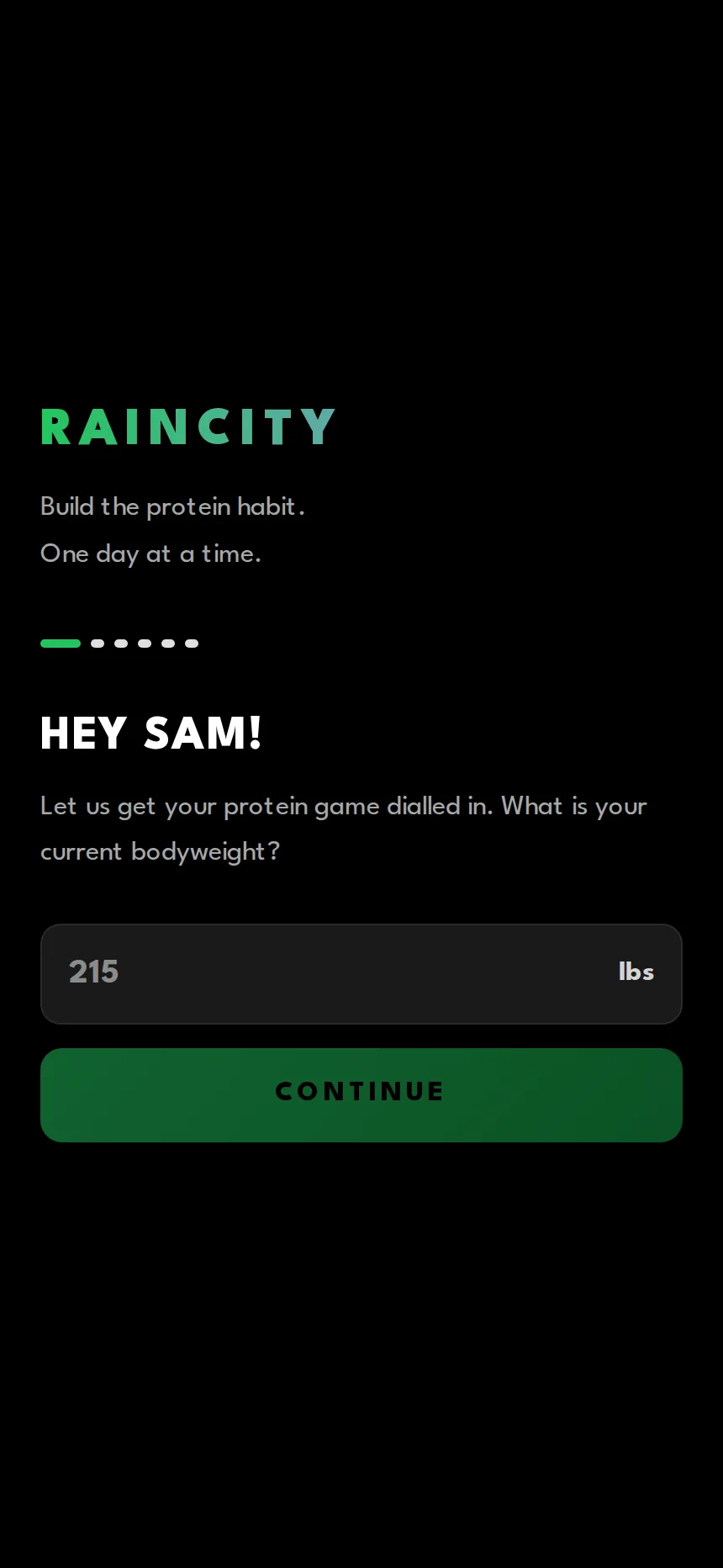
Most nutrition apps open on a settings screen and ask you to configure yourself. Proton asks six questions instead, one at a time, and does the maths itself.
First run asks one question at a time
Six steps, no settings screen. Where you are now, where you are going, and roughly what you eat today.
Your plan, before you log anything
Day one starts at one gram of protein per pound of goal bodyweight, with the calorie, carb and fat numbers derived from your goal weight and activity level.
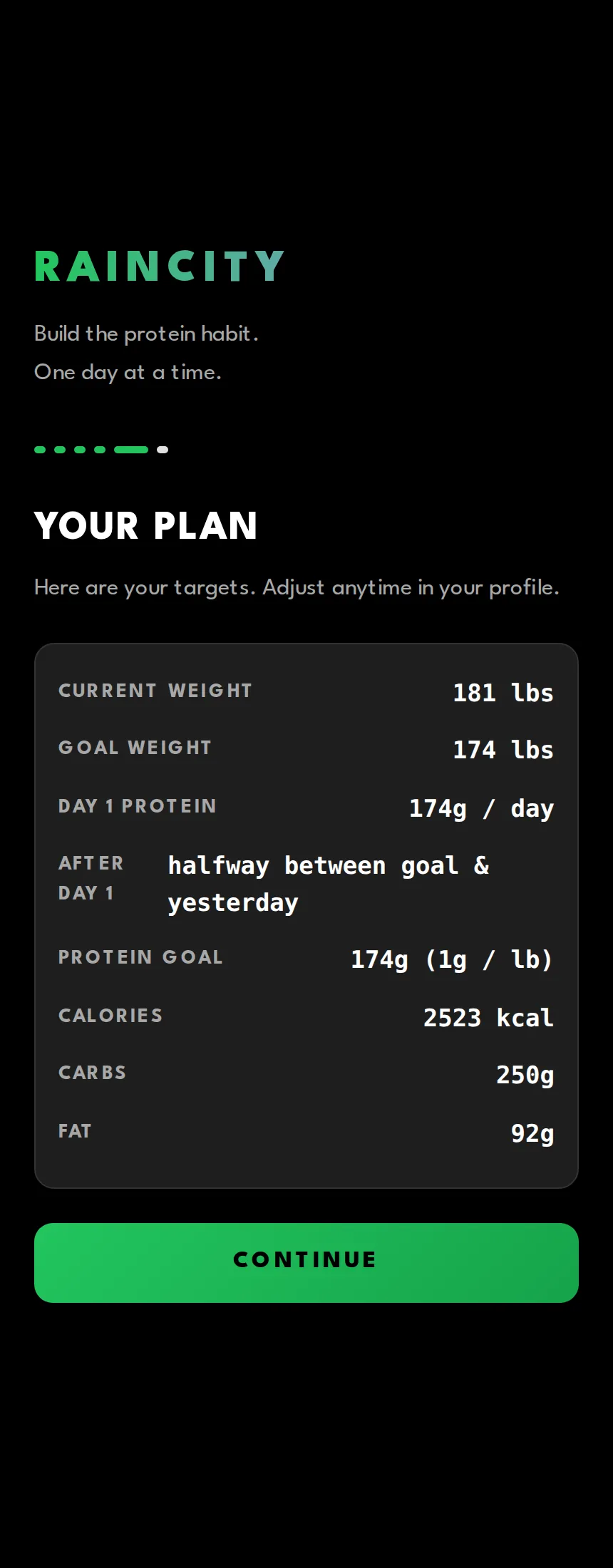
The line that matters is after day 1: halfway between goal and yesterday. The target is not a fixed number you either hit or fail. It moves toward your goal from wherever you actually landed the day before, which means a bad day makes tomorrow easier rather than putting you further behind.
The daily screen
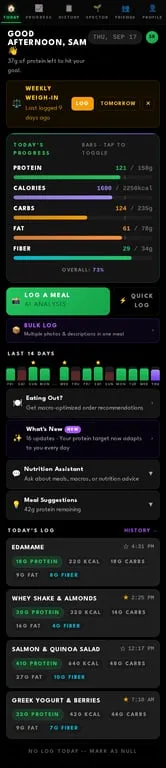
Everything for today on one scroll
A greeting that tells you what is still left, a bar for every macro you have unlocked, the last fourteen days, and today's meals. The bar card flips to stat tiles with a tap.
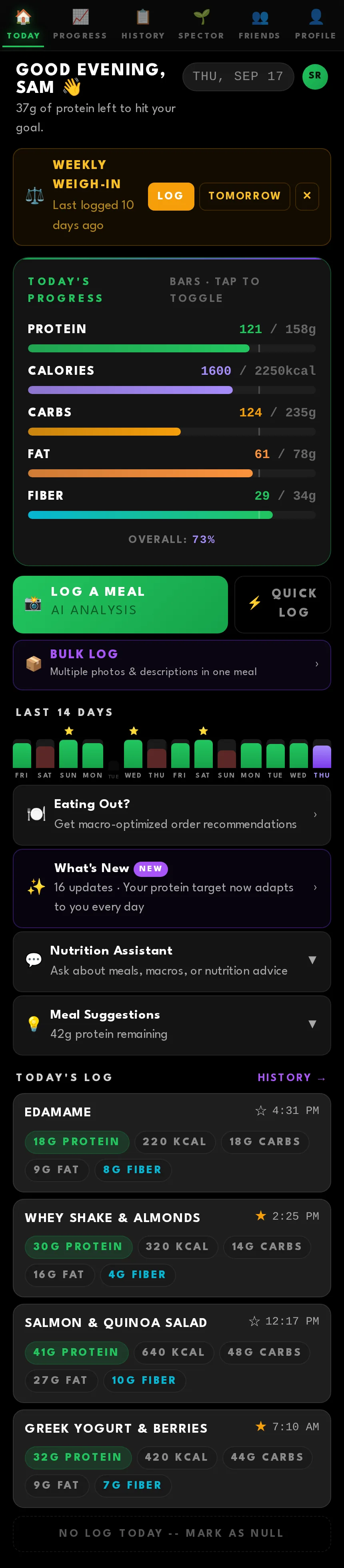
Note what is not there on day one. New members only see protein. Calories appear after five days hit, full macros after ten. It is the same app either way — it just refuses to hand you five numbers to track before you have proven you can hit one.
Logging a meal
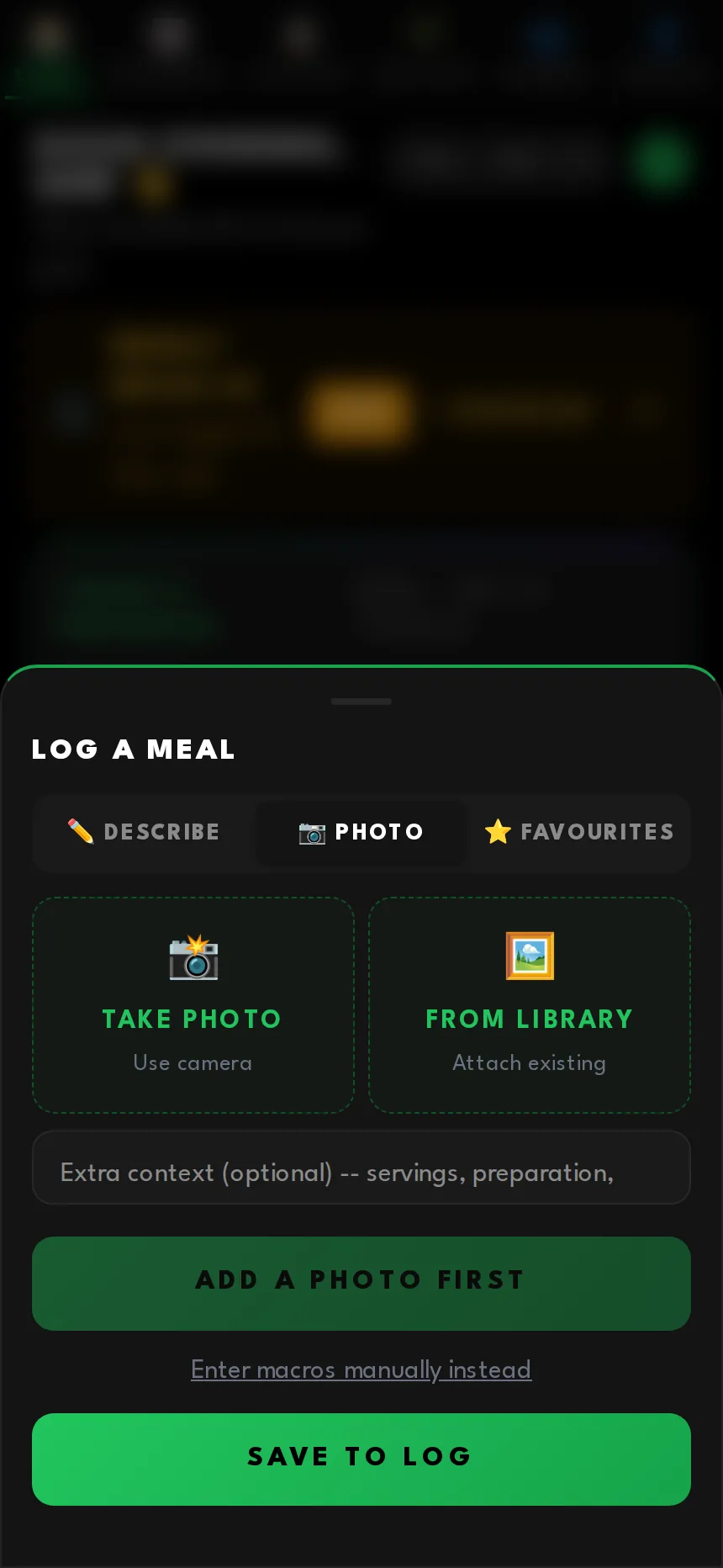
This is the part people actually use, so it has three ways in and it always shows its working.
Photograph it
The sheet opens on the camera. Review the numbers the AI comes back with, or save now and let it fill them in afterwards.
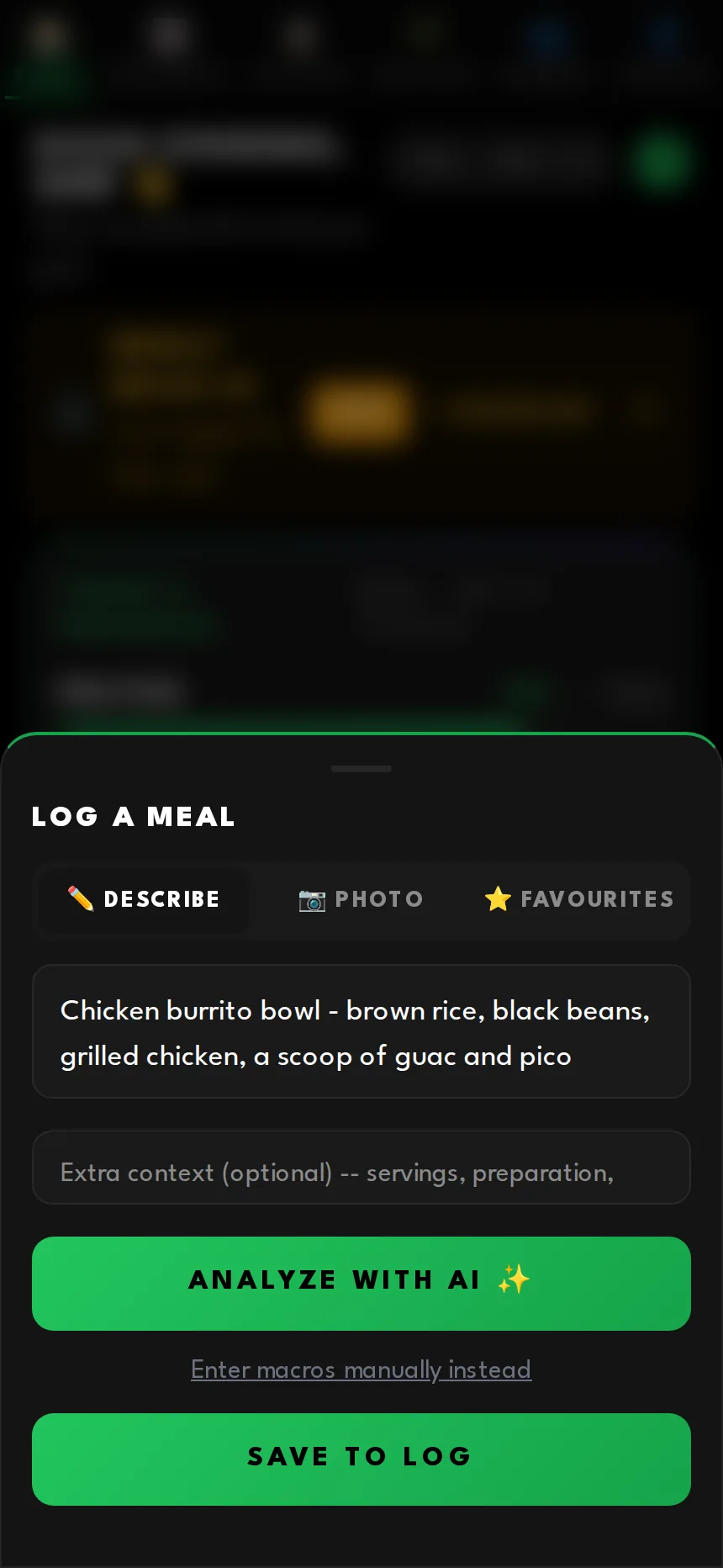
Or just describe it
No photo needed. Type the meal in plain language and the same analysis runs on the text.
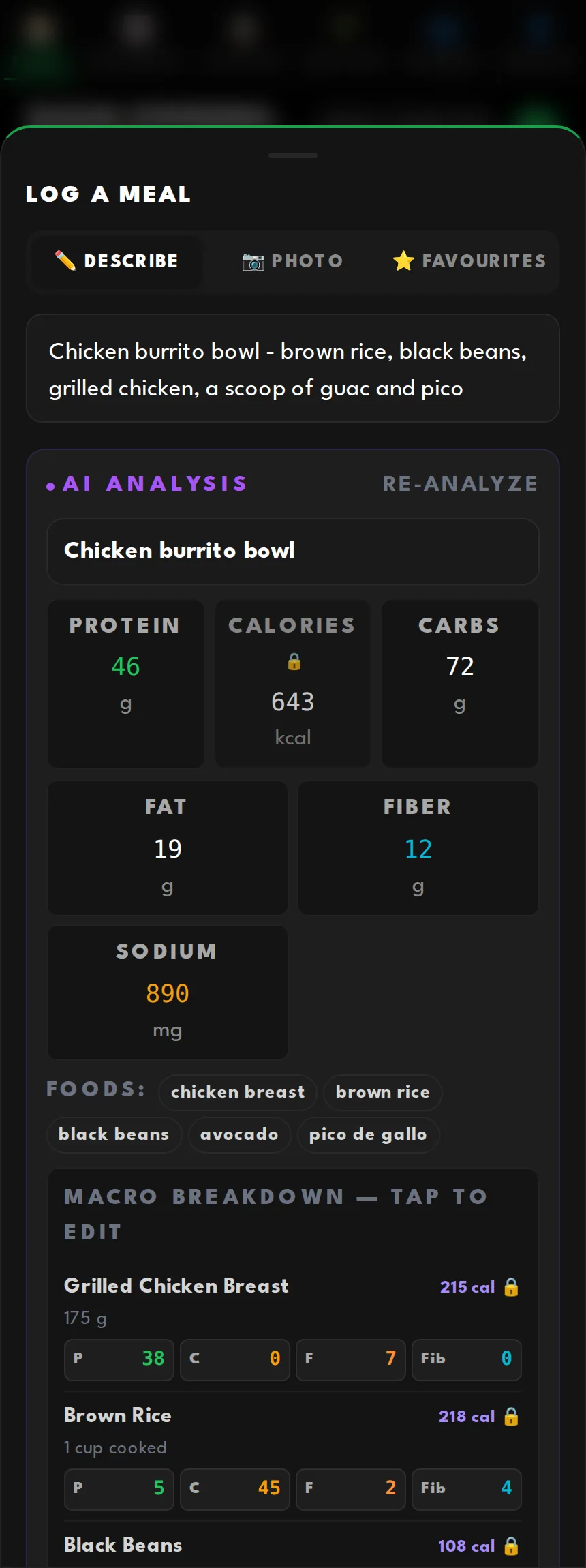
Every item, itemised and editable
Calories are locked and recalculated from protein, carbs and fat, so the numbers can never drift apart into something that does not add up.
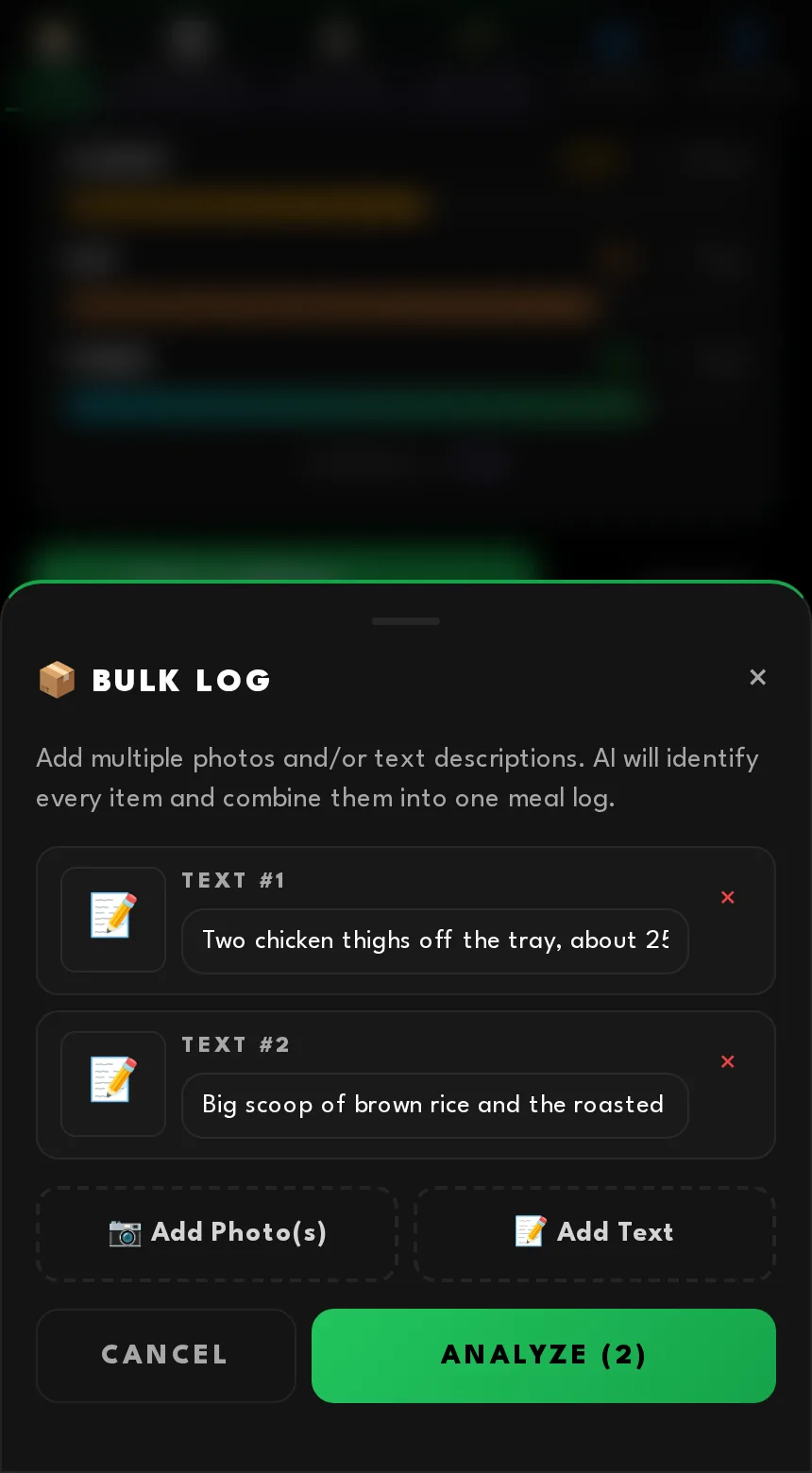
Bulk log, for the plates that need three photos
Meal prep and big spreads rarely fit in one frame, so this takes several photos and notes together.
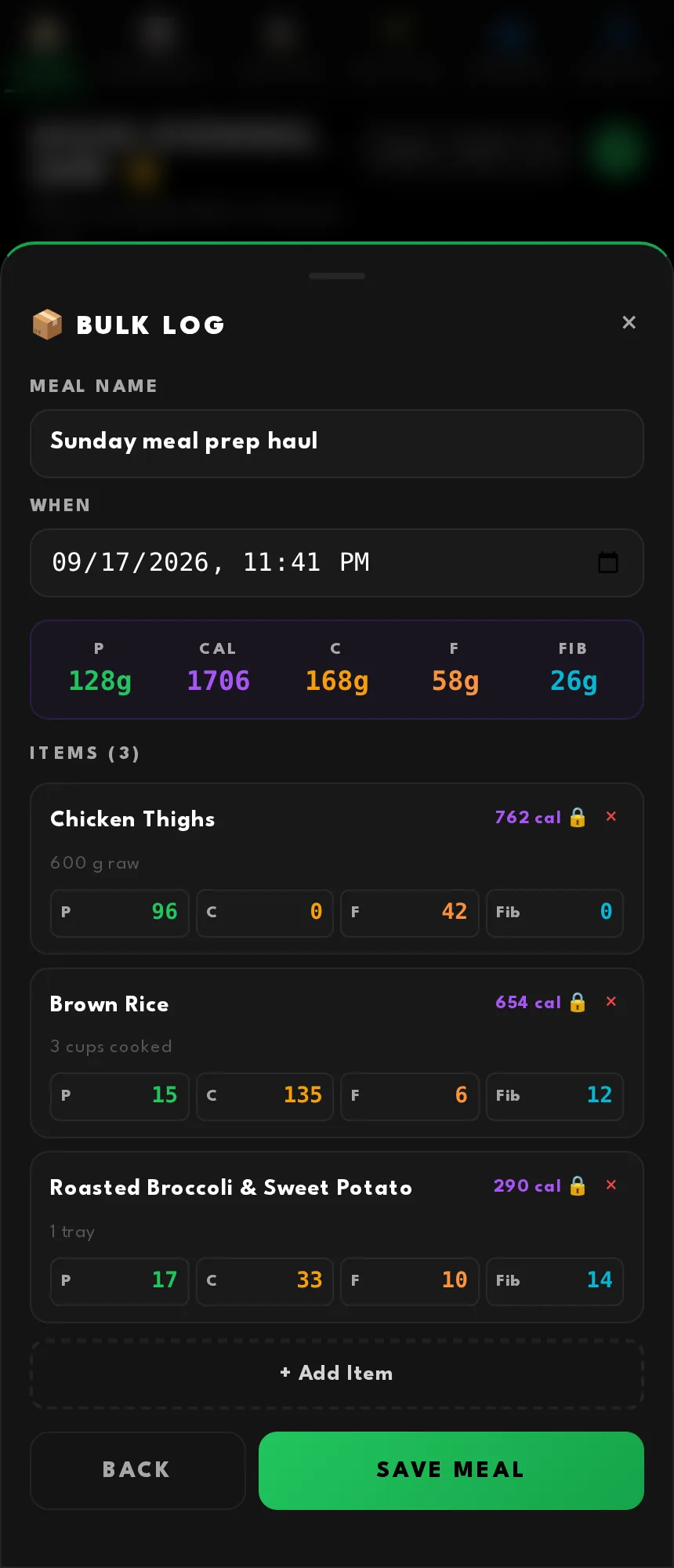
Merged into one meal
The AI folds everything into a single entry with a per-item list, running totals and an editable name.
Deciding what to eat
The features I get asked about most all live in the gap between "I have thirty-seven grams of protein left" and "so what do I actually eat".
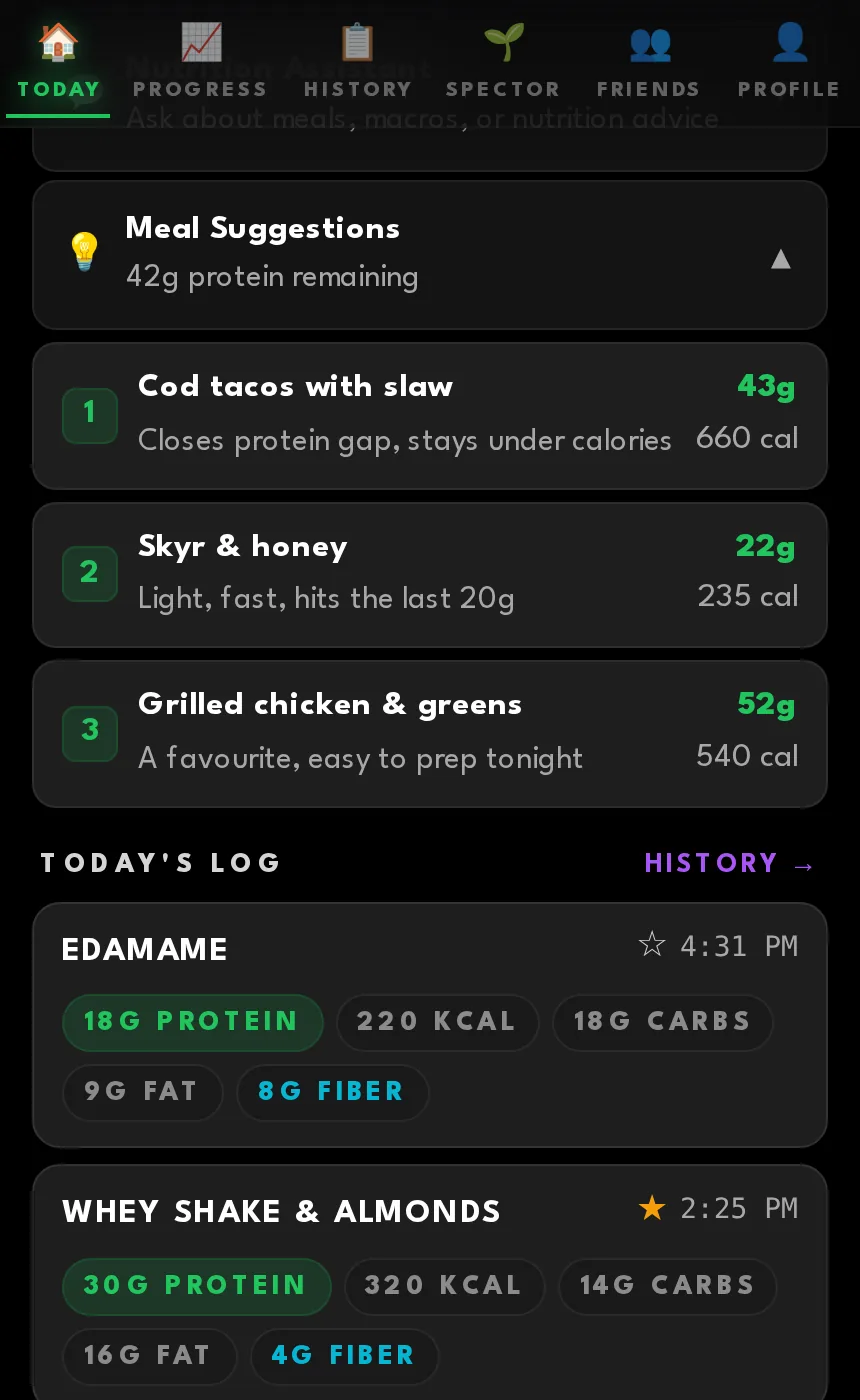
Suggestions that know your day
Three specific meals based on what you have left, each with a reason attached.
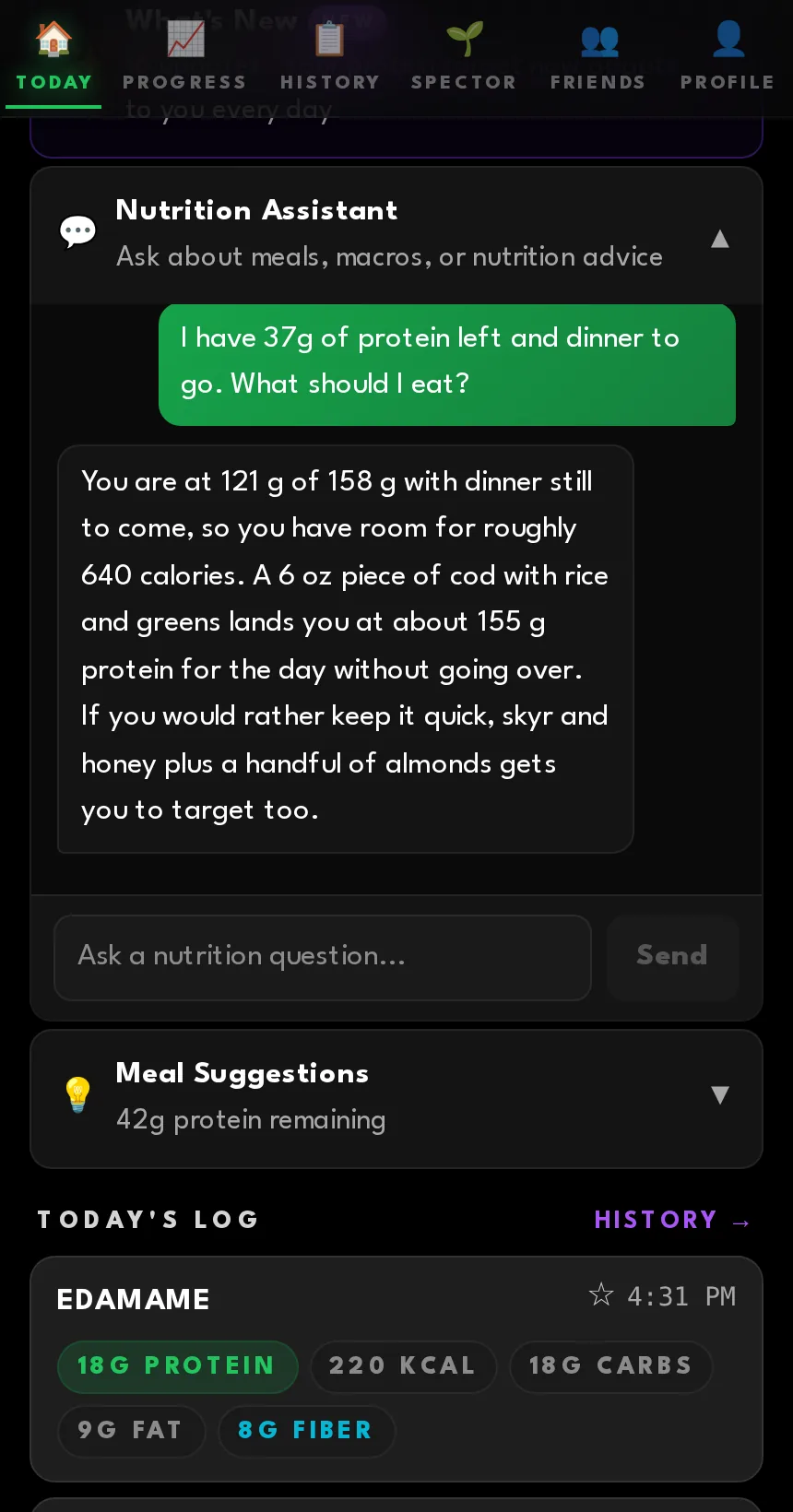
An assistant with your numbers
The chat already has today's totals, your targets and your history, so you get an answer about your day rather than general nutrition advice.
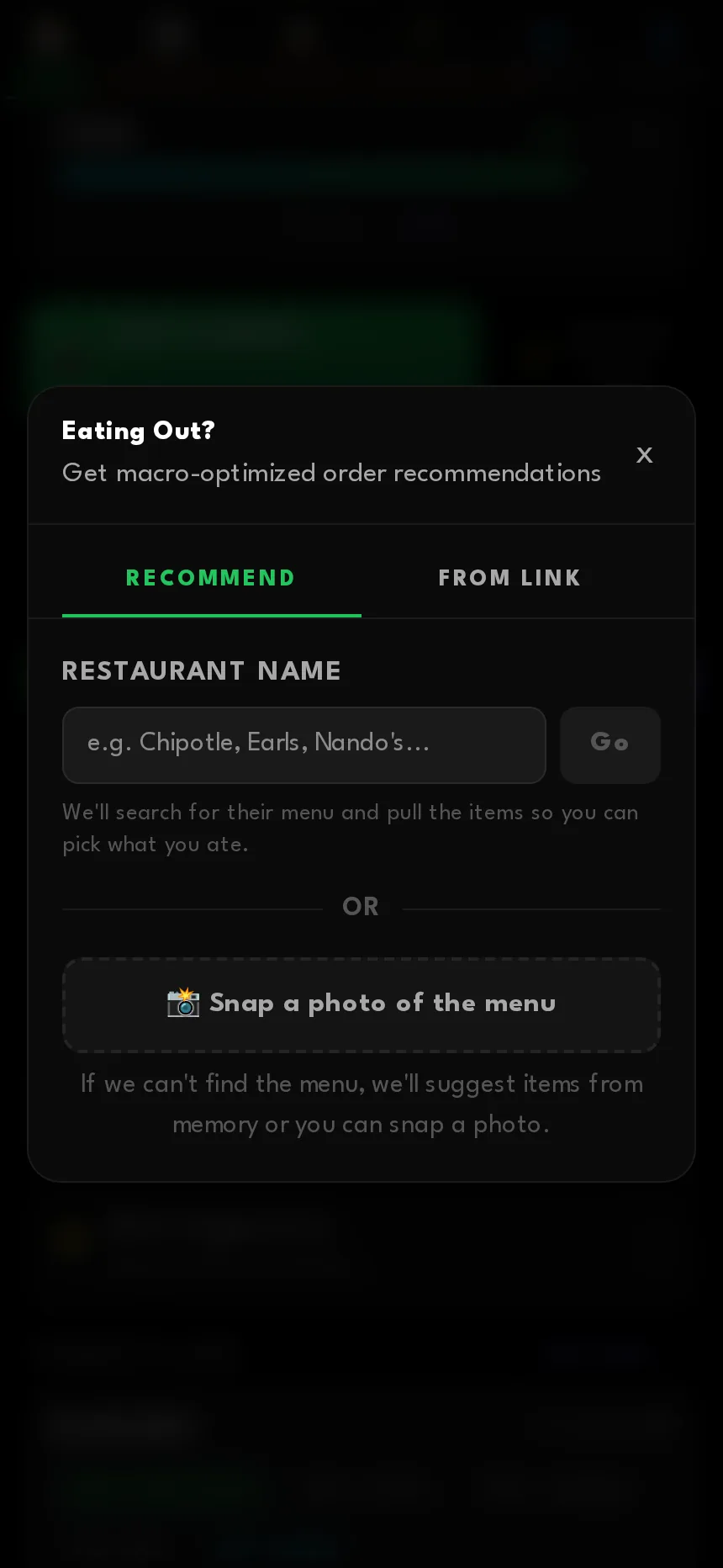
Eating out, where most weeks fall apart
Type a restaurant name, paste a menu link, or photograph the menu.
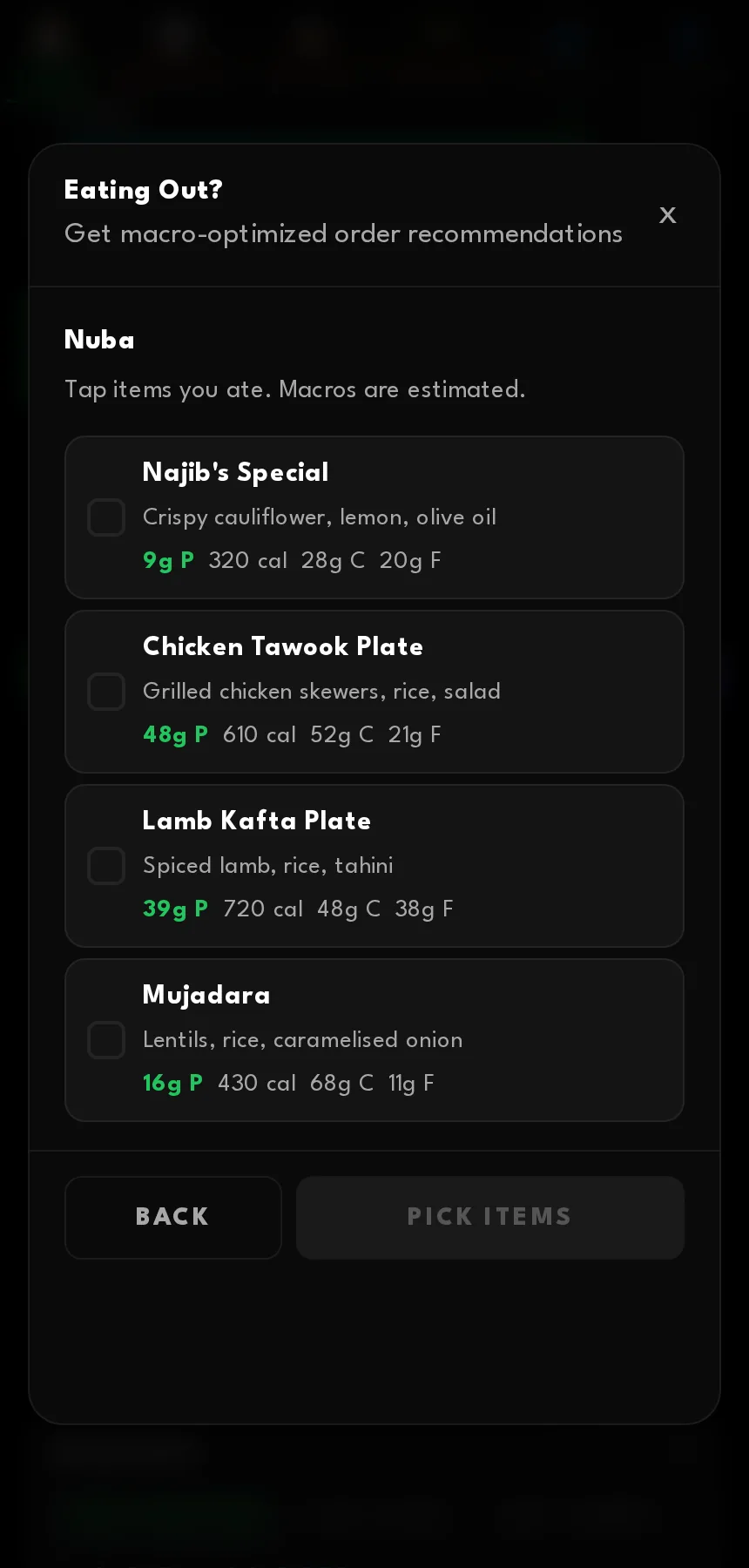
Tick what you ate
When it finds the menu, the items log themselves with estimated macros.
Or it tells you what to order
When there is no menu to read it works backwards from what you still need, and says how to customise the order.
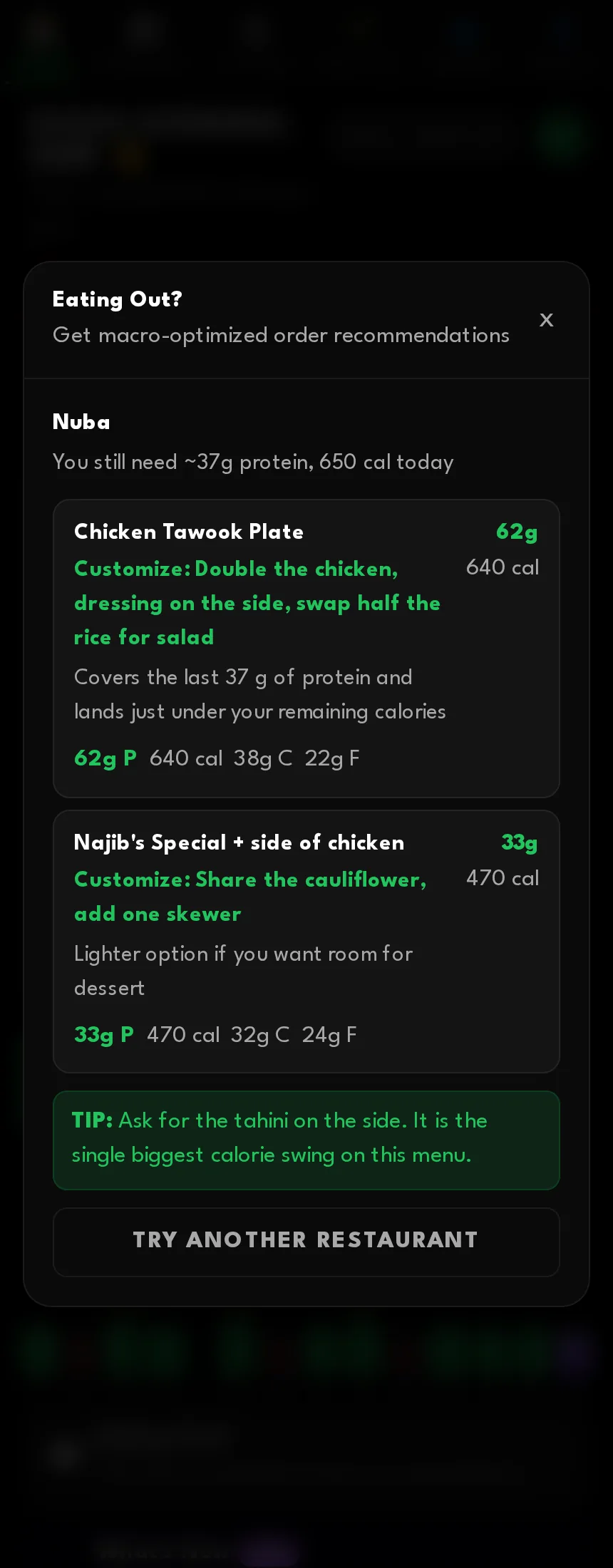
"Double the chicken, dressing on the side, swap half the rice for salad" is a more useful sentence than any number.
Going back and fixing things
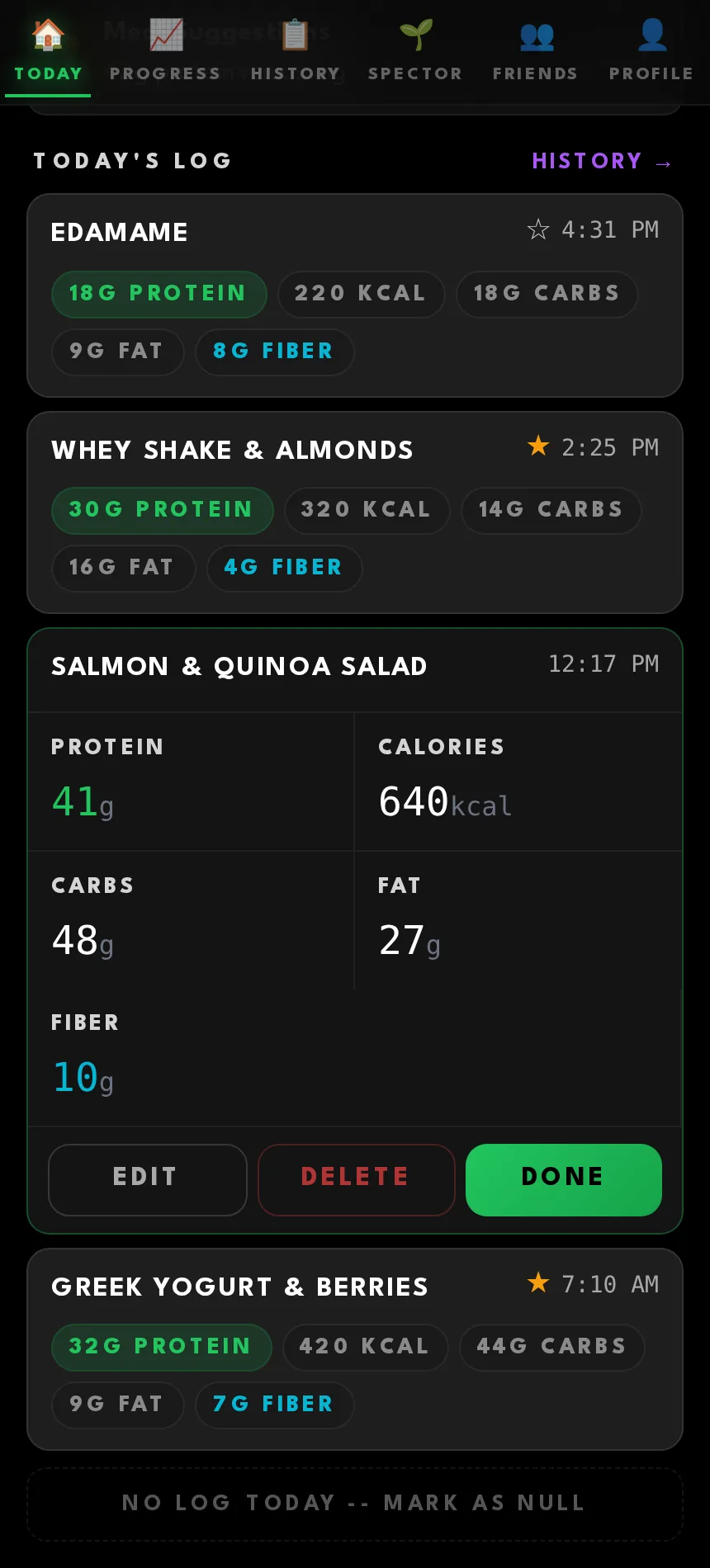
Tap any meal
Full macros, with edit and delete.
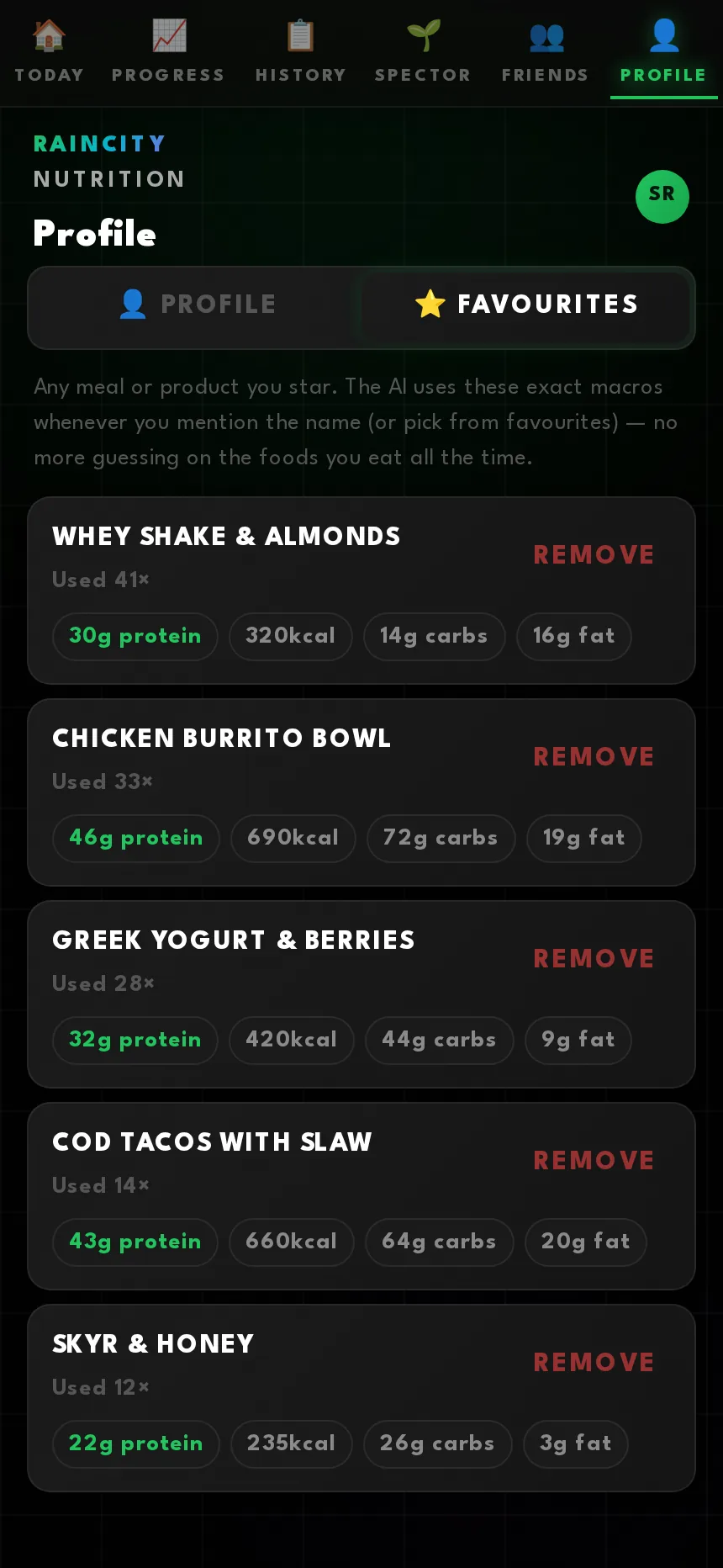
Favourites the AI trusts
Star a meal and its exact macros join your library. Next time you mention it by name the AI uses those numbers instead of estimating.
History, the honest view
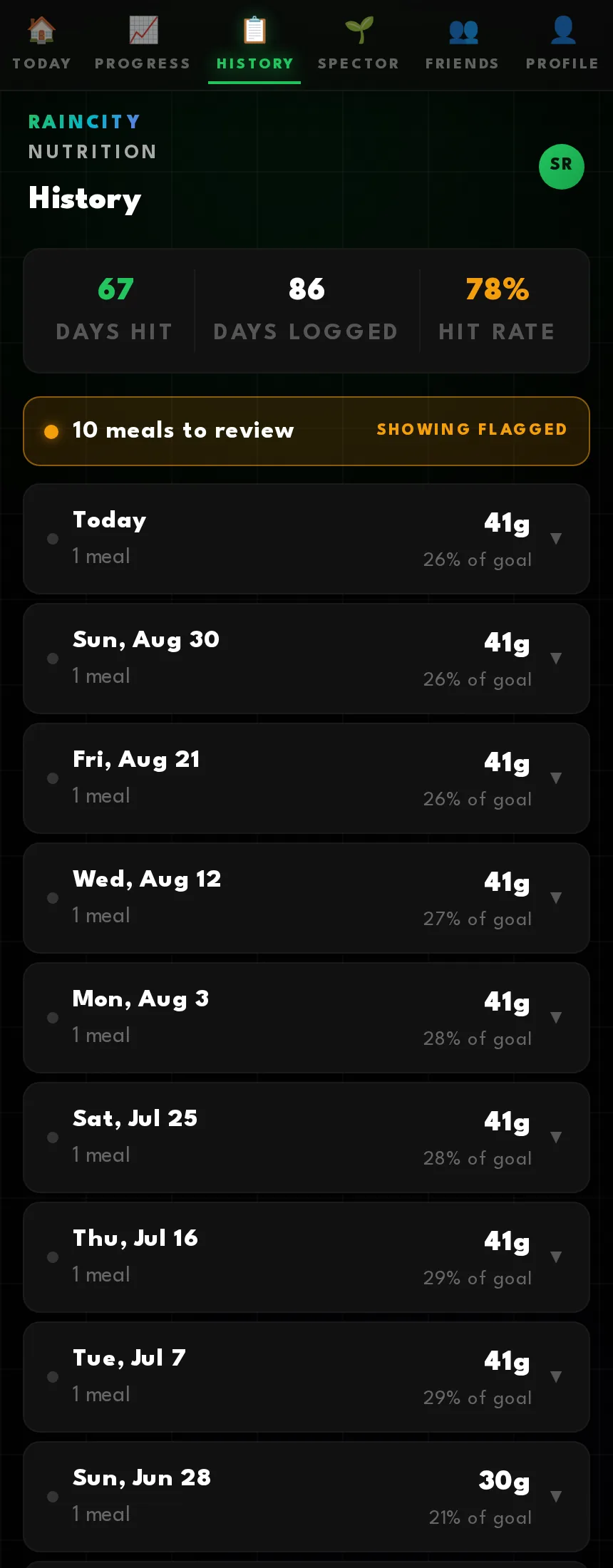
Days hit, days logged and hit rate, then every day with its meals and its percentage of goal.
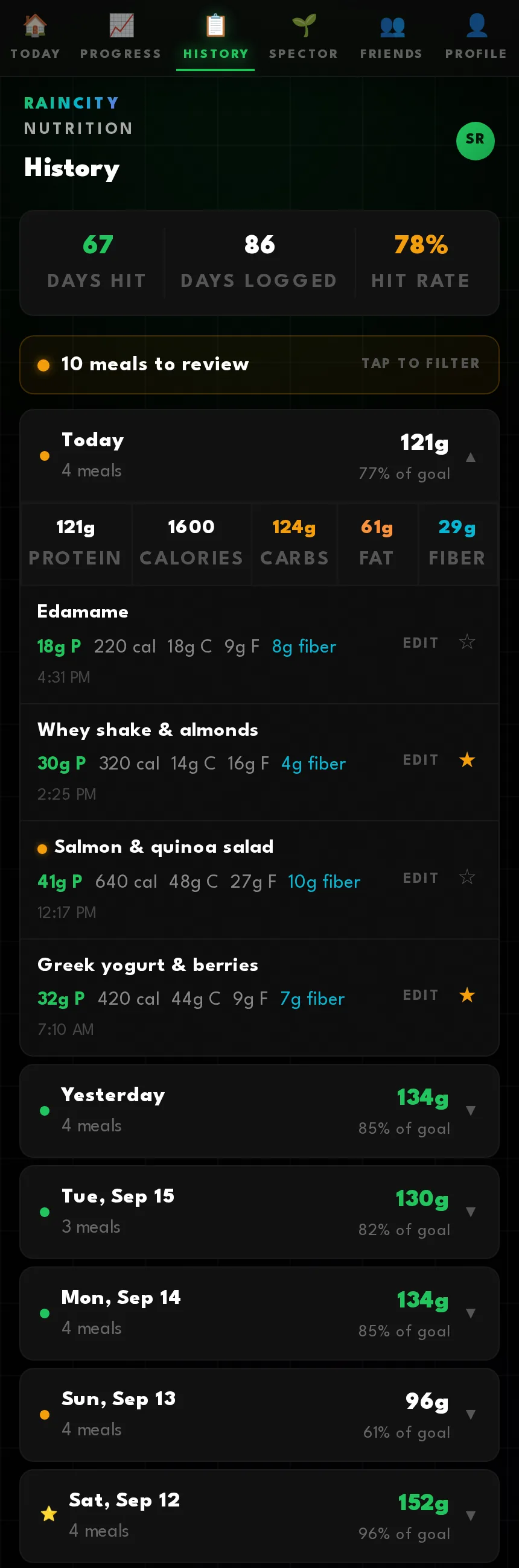
Flagged for review
Anything the AI was unsure about gets a marker, and one tap filters history down to just those meals.
It tells you what it guessed
Every item carries a confidence score and a note. Low-confidence items get a panel where you add what you know and re-run the analysis.
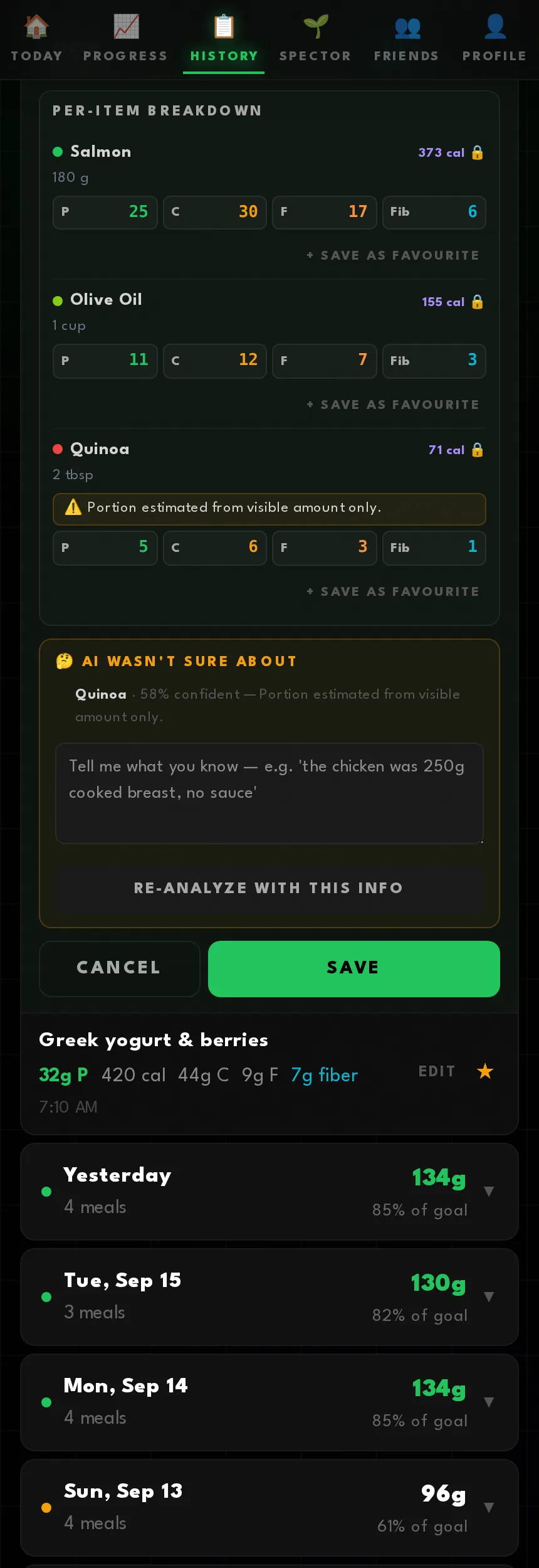
That last one is the feature I am most pleased with. "Olive oil, fifty-eight percent confident, portion estimated from visible amount only" is the app admitting something. An app that quietly invents a number is worse than useless for anyone trying to learn what they are actually eating.
Progress
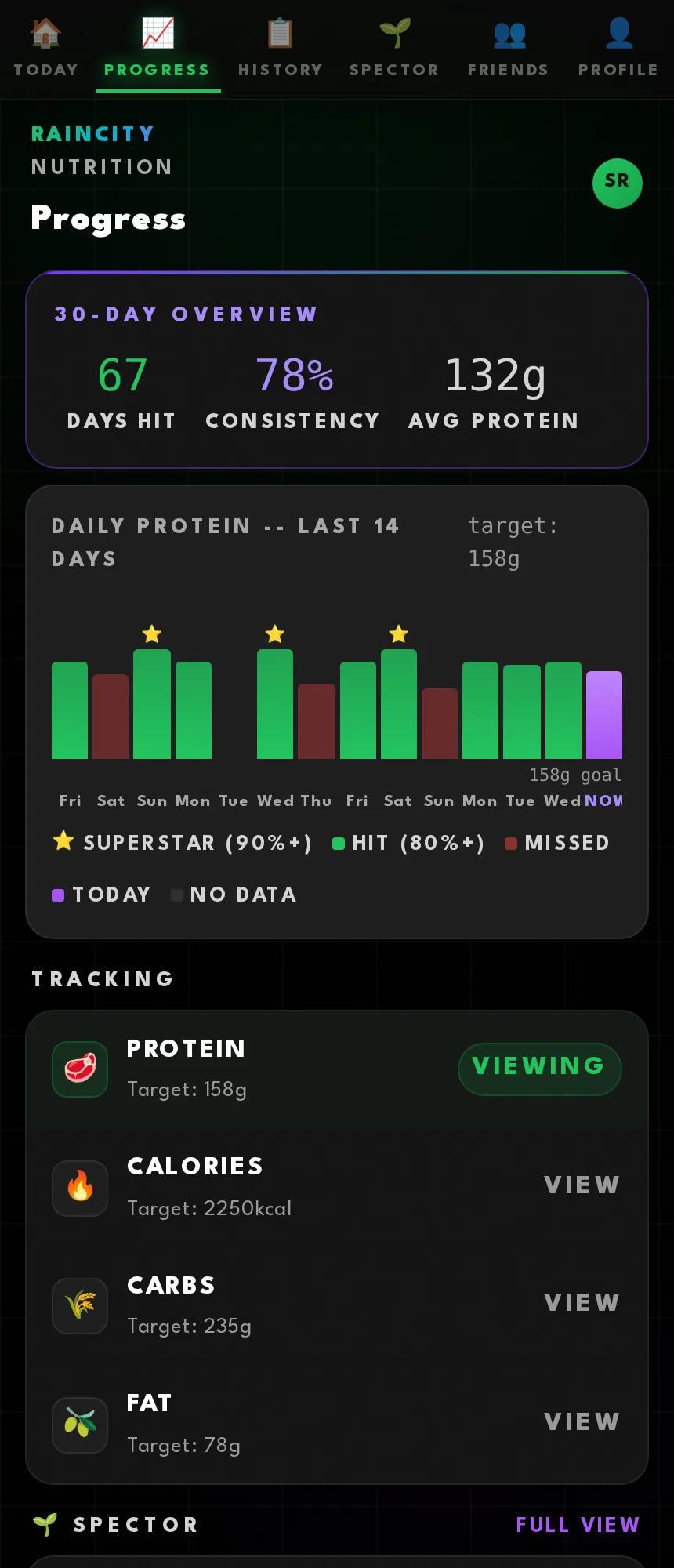
Thirty days at a glance
Days hit, consistency and average intake, with a star on every day above ninety percent.
Bodyweight trend
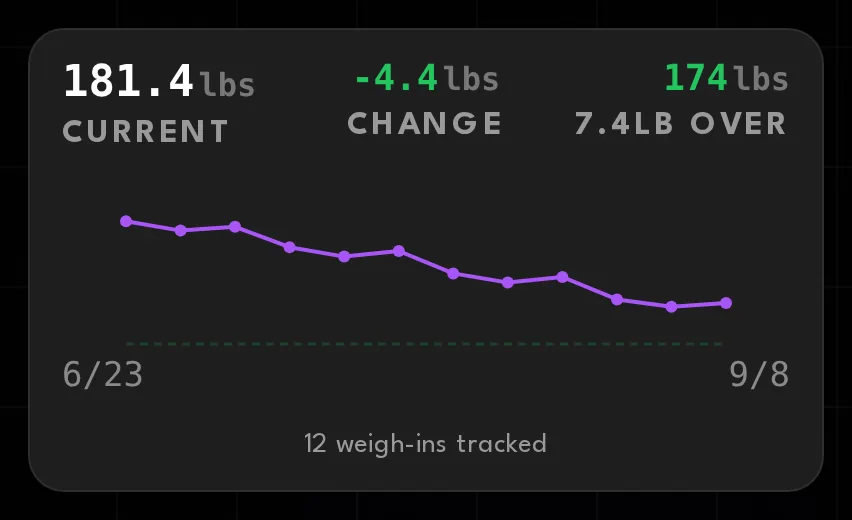
Weigh-ins plotted against the goal line, and a nudge when it has been a week.
Thirty plants a week
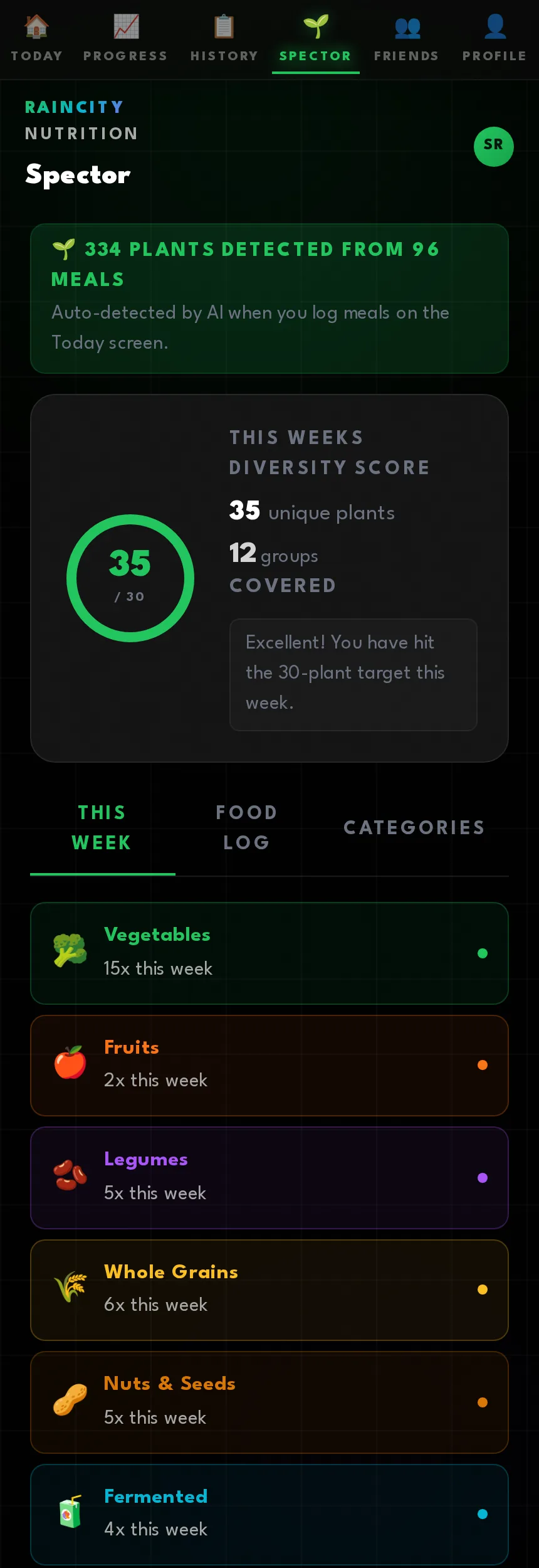
Spector is named after Tim Spector, and it tracks the thirty-different-plants-a-week guideline for gut health. The trick is that there is nothing extra to log — the plants get pulled out of the meals you already recorded.
This week's diversity score
Unique plants against a target of thirty, and how many food groups you covered.
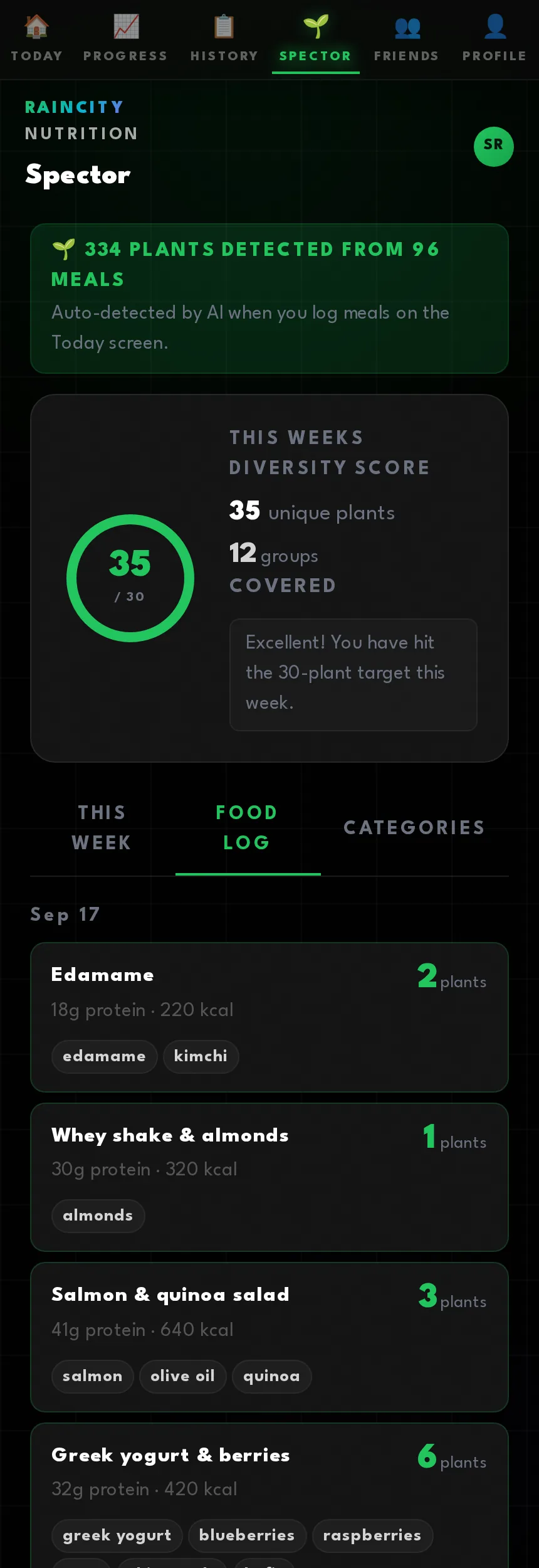
Where the plants came from
Every meal with the plants found in it, grouped by day.
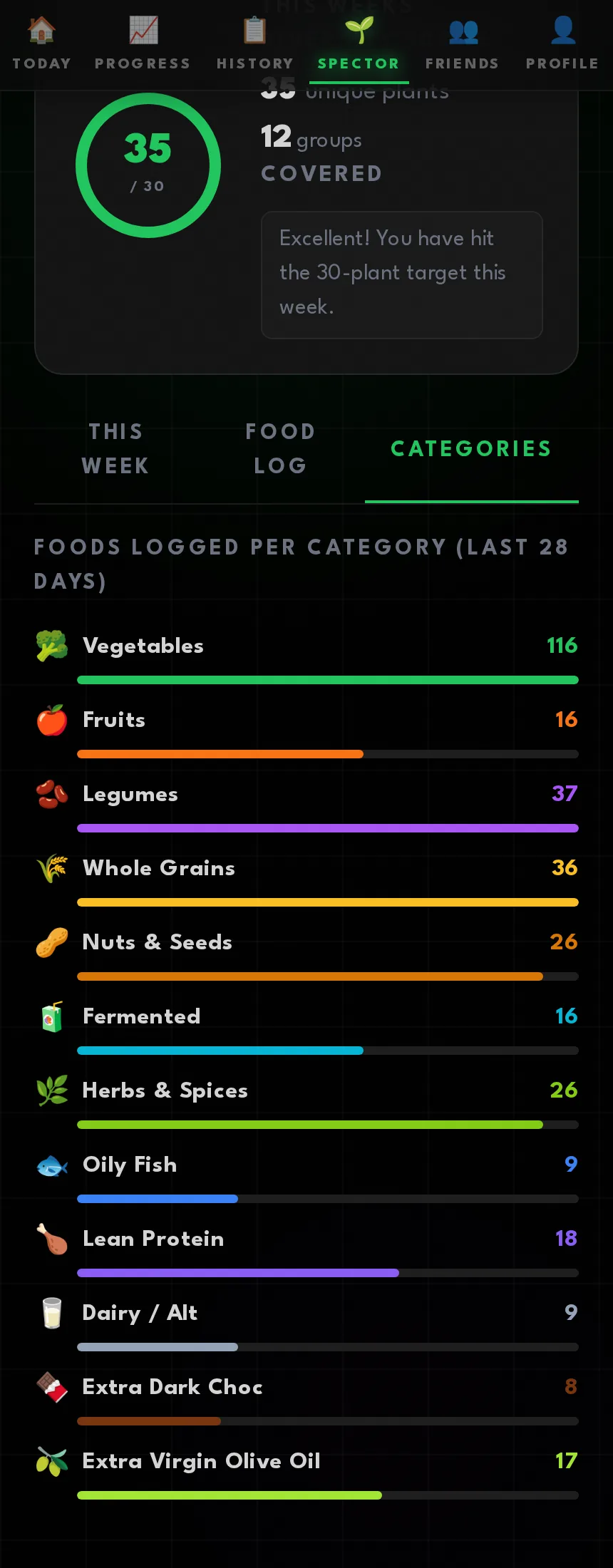
Twelve food groups
A running count over twenty-eight days, so the gaps are obvious. Mine is always nuts and seeds.
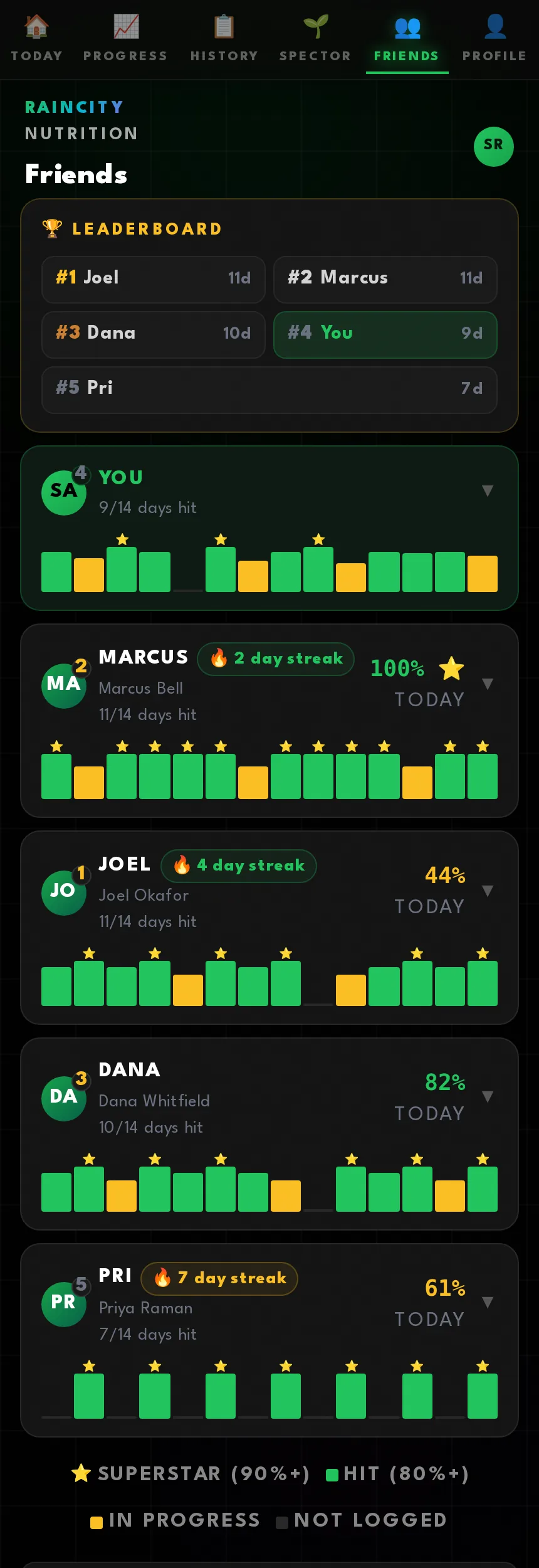
Accountability
Friends
I connect members with training partners. Fourteen days of hits side by side, ranked, with streak badges.
Open any card
The last seven days in full.
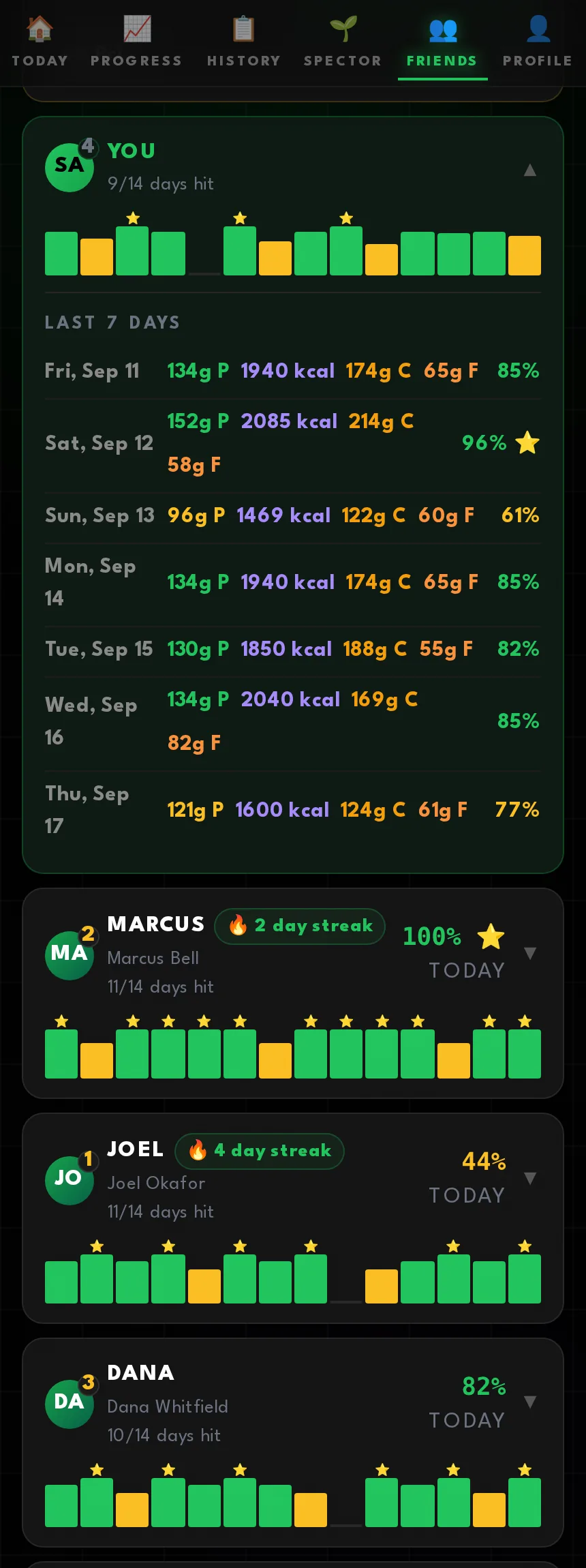
Nobody sees what you ate. They see whether you hit. That turns out to be the right amount of visibility.
Settings, and the bit that makes the AI good
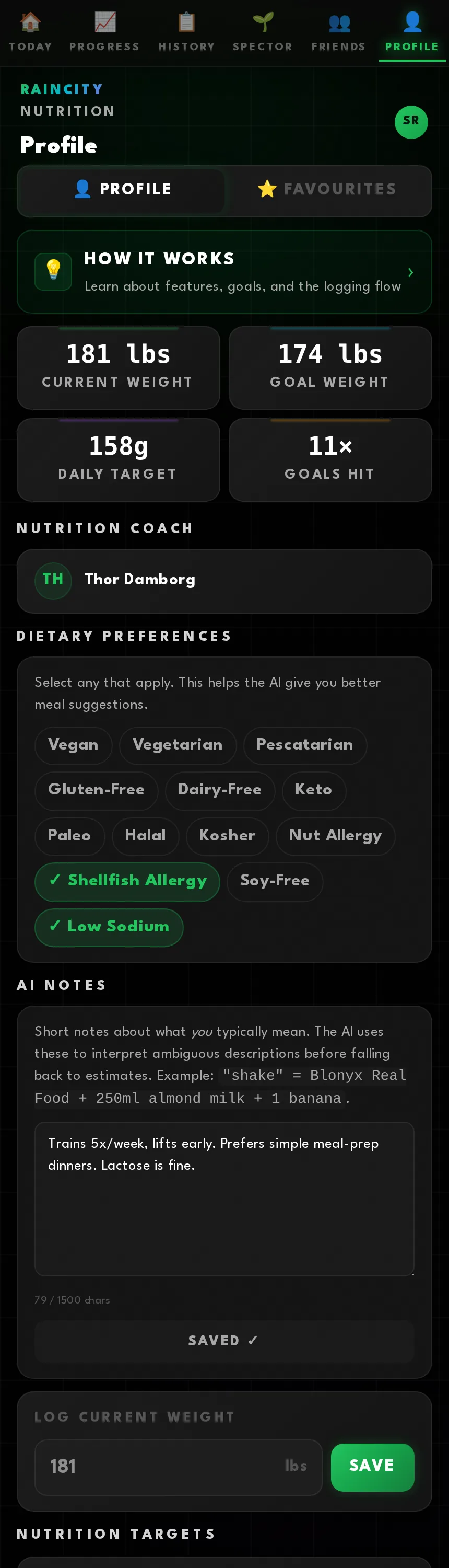
Profile, and AI Notes
Stats, your coach, dietary flags — and free text the model reads before every single analysis.
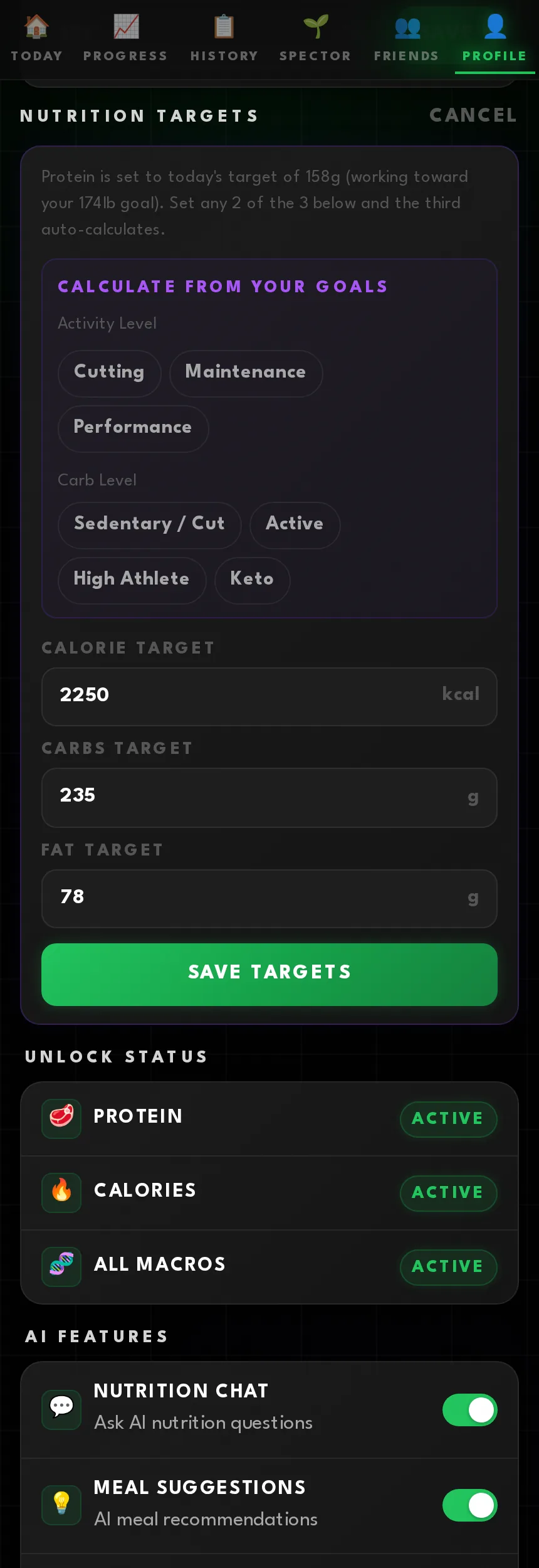
Work out your macros
Pick an activity level and a carb level and the calculator does the rest. Below it sits what you have unlocked, and a switch for every AI feature.
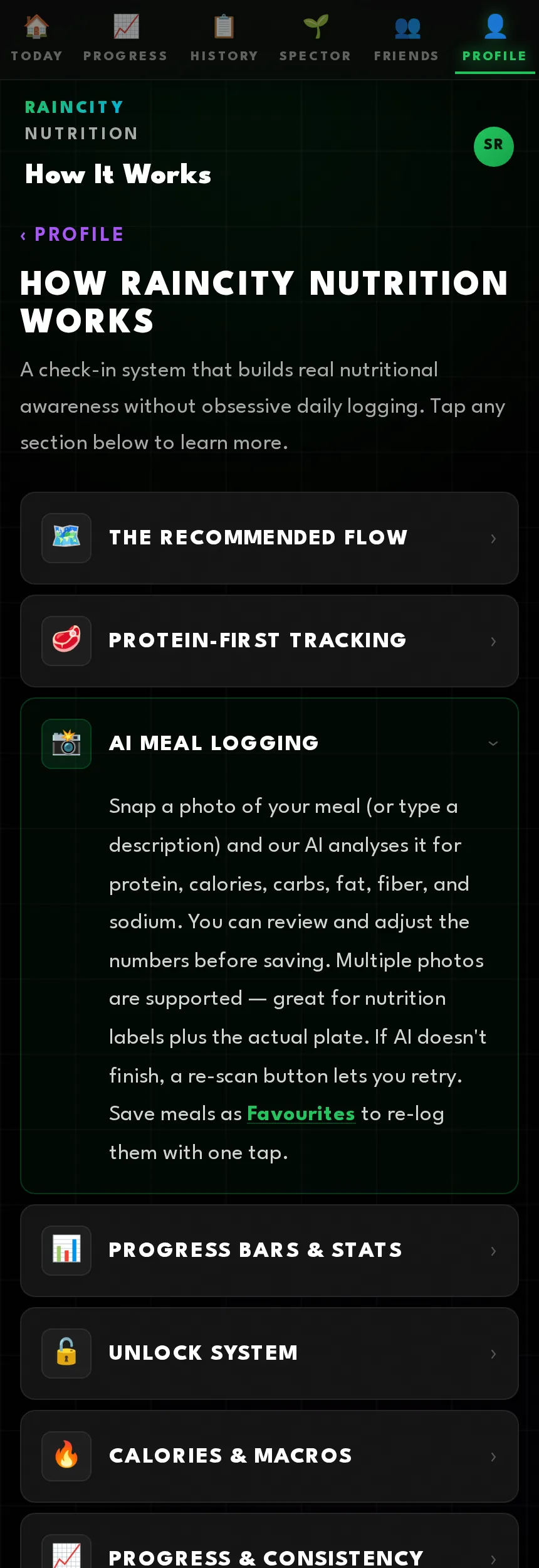
The app explains itself
A built-in How It Works page covering every feature, so I am not the support desk.
AI Notes is the field doing the heavy lifting. Write "shake" means my Blonyx and 250ml of almond milk in there once and you never explain it again. It is the difference between an app that guesses and an app that knows you.
Why build it at all
Because the nutrition apps I kept recommending were either a food database with a calorie count, or a coaching platform that cost more than the membership. Neither taught anyone anything.
Proton is opinionated on purpose. Protein first. One number until you have earned the next one. A target that meets you where you are. An AI that shows its work and admits when it guessed. None of that is complicated — it just needed someone who coaches the people using it to decide what mattered.
If you train at Raincity and you are not on it yet, ask me.